
A food diary that also records why you ate.
Calories and macros, like everything else. And next to them the reason — hunger, company, habit, mood. That is the part that changes something.
- On device
- 0 trackers
- 0 ads
- 5 languages
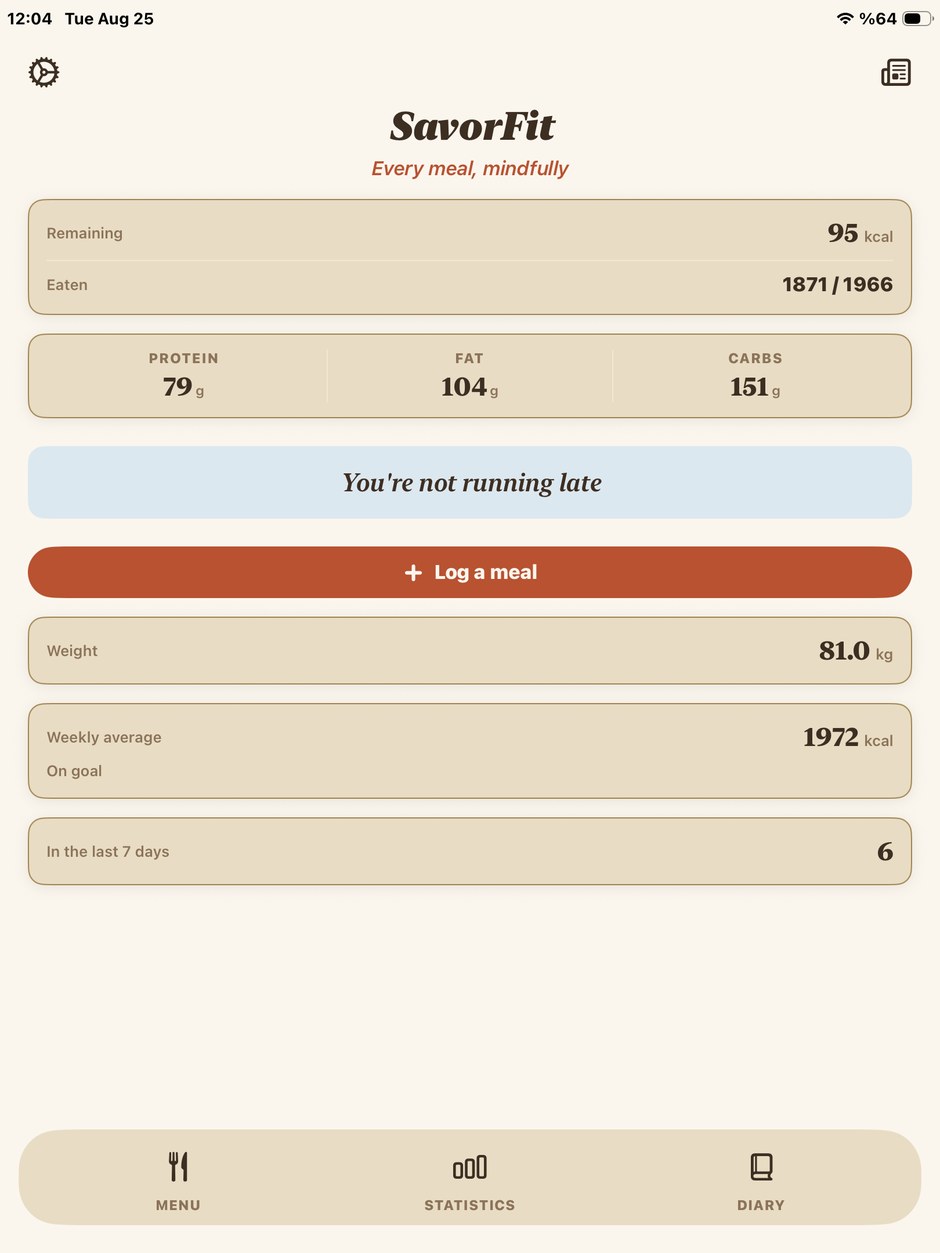
Calories and macros, like everything else. And next to them the reason — hunger, company, habit, mood. That is the part that changes something.
The reason
What you rarely know is why. SavorFit asks in one tap, right where you record the food.
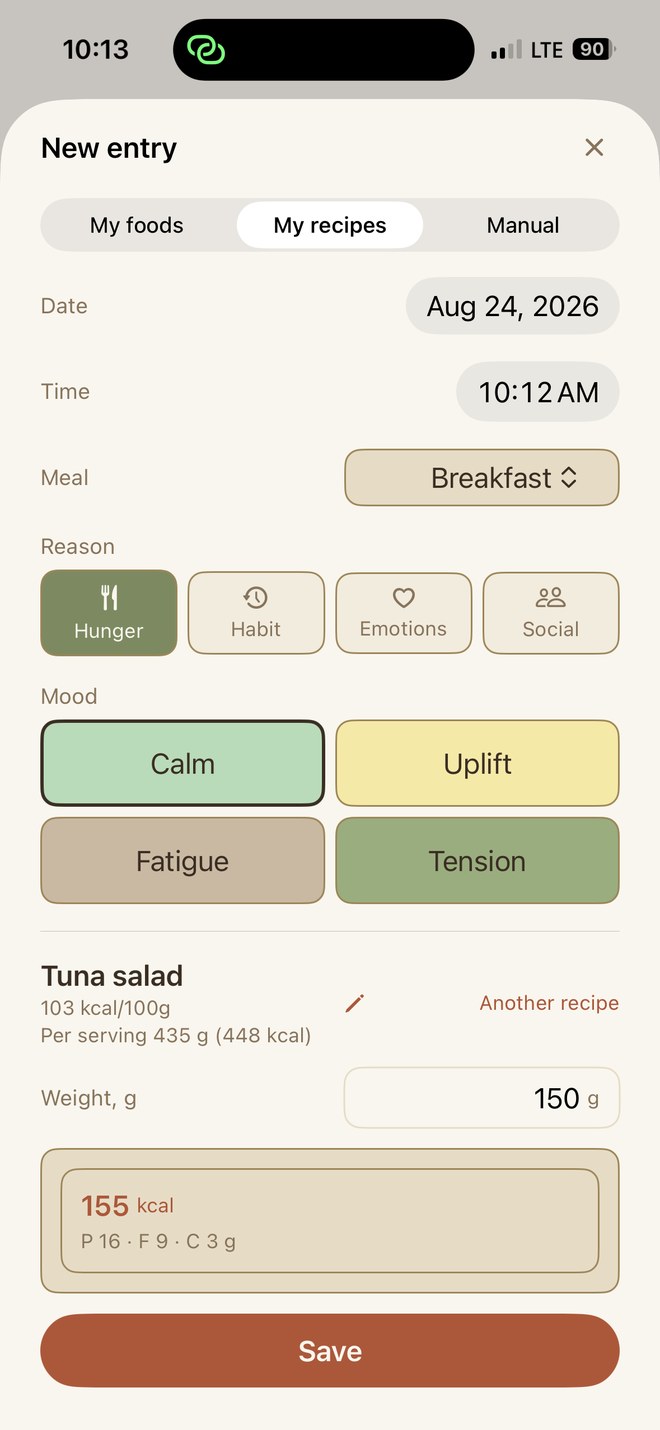
Hunger is only one of the answers. There is also company, habit, stress, boredom, a celebration, or simply that it was there. None of them is a failure — they are just different situations, and they call for different things.
That difference matters most on the day you come back after a week away. A bare list of what you ate reads as an accusation. The same list with reasons reads as a description — and a description can be worked with.
Statistics group your entries by meal and by reason, so the pattern shows itself: which reasons turn up on which days, and what they cost you in calories.
Privacy
Not a promise — an architecture. SavorFit has no server and no account. What you write stays on your device and syncs through your own iCloud, into a private database we hold no key to.
There are no analytics, no advertising, no third-party SDKs and no data brokers. The app does not read from or write to Apple Health. Its App Store privacy label reads: Data Not Collected.
Since version 2.0 the contents of your entries are encrypted on the device before they are sent, with keys kept in your iCloud Keychain. Whether Apple itself can reach those keys depends on Advanced Data Protection in your Apple ID settings — a setting on your side, not in this app. We say it that way instead of claiming end-to-end encryption for everyone, because for some people that would not be true. The Privacy Policy spells it out.
Inside
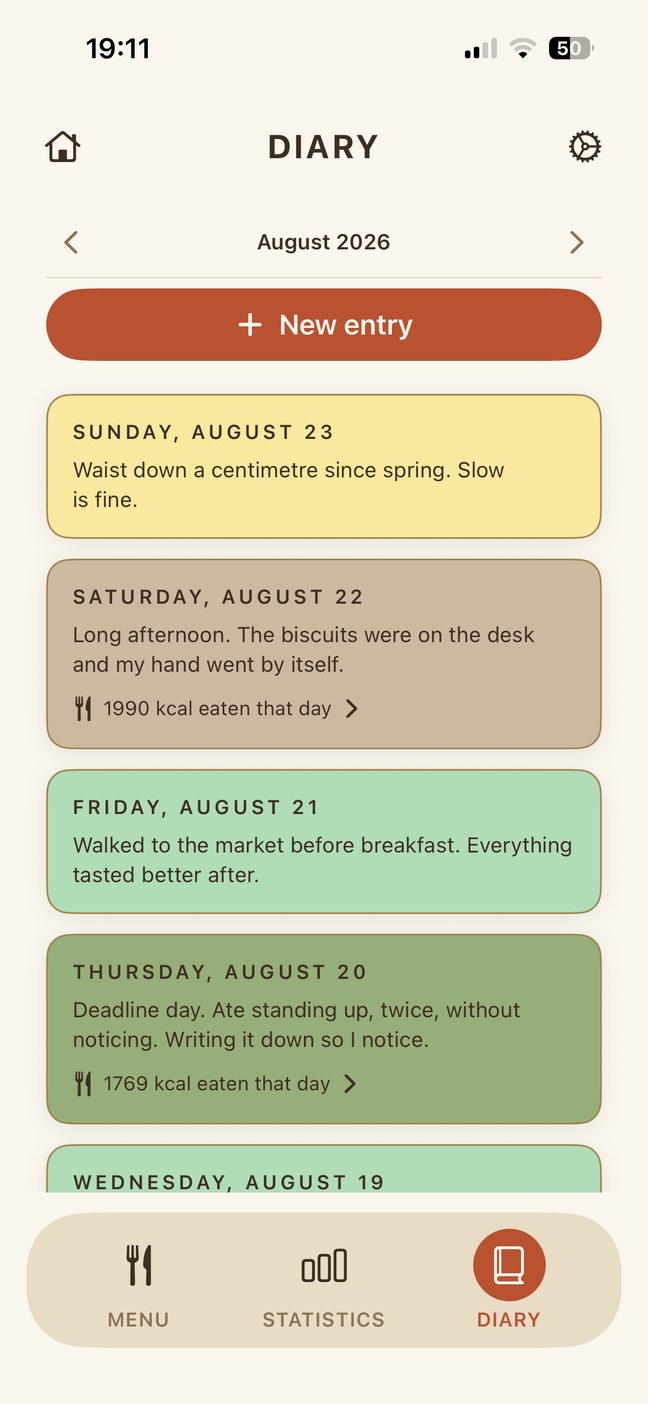
Write down the day, not only the food. Each entry carries a mood and a reason, and search runs across your whole history — free, with no time limit on how far back you can look.
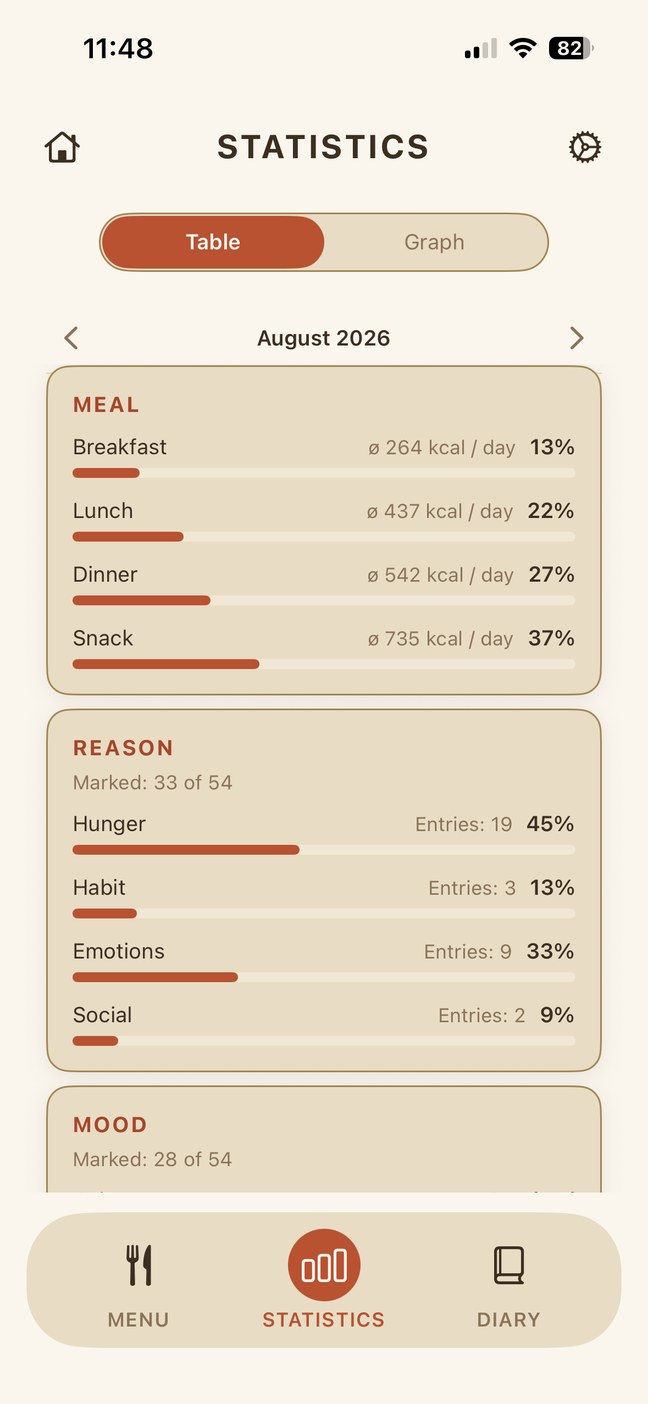
Where the calories actually went. A breakdown by meal and by reason over the month, so the answer comes from your own entries rather than from a guess.
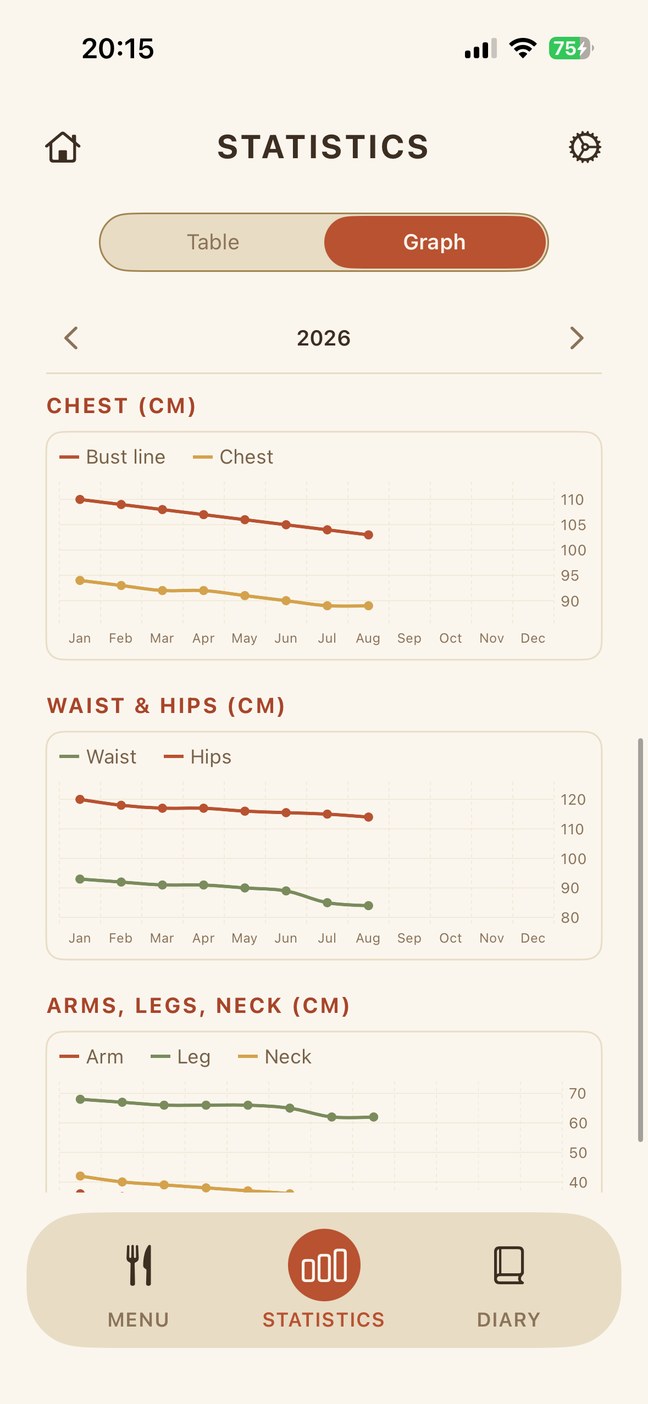
Weight is a noisy number on any single day. Alongside it SavorFit keeps waist, hips, chest and the rest, and draws them as curves — where a trend is visible and a bad morning is not.
There are no streaks in SavorFit, on purpose. A broken chain says «you failed» on exactly the day support is needed most.
Plans
The line runs between looking at data and putting it in. Everything that reads, analyses, exports or explains is free; creating entries is what Premium unlocks.
Prices shown in US dollars; your App Store converts them for your region and shows the final amount before you buy. There is no free trial — the monthly plan is the small way in.
Questions
Because picking a name off a list happens on autopilot, and nothing stays with you. Entering a food yourself means reading the label once — and that reading is the point of the app. Your own library builds up as you go, and after a couple of weeks most entries are two taps.
No. We removed it deliberately: a trial ends with a charge that many people do not see coming, and the reminder about it does not reach the people it is meant for. The monthly plan does the same job honestly — if it is not for you, you have spent three dollars, not twenty.
Creating entries: meals, diary entries and body measurements. Statistics, charts, your library, recipes, the calorie calculator, the articles and CSV export need no purchase at all.
Yes, fully. Synchronisation is optional: with it, your data follows you across your Apple devices; without it, everything works on the device in your hand.
Yes, and without paying. The app exports everything to a CSV file that opens in Numbers, Excel or any spreadsheet. That is also how the app satisfies data portability under the GDPR.
No, and there will not be. A chain of days rewards you while things go well and tells you that you failed the moment they do not — which is precisely when support matters. SavorFit shows a plain window instead: how many of the last seven days you recorded. Miss a day and the number moves; nothing breaks.
No. SavorFit is an informational self-tracking tool. Calorie goals, BMI values and the articles are estimates based on widely accepted formulas, and they do not replace a qualified healthcare provider, dietitian or trainer. The app is intended for adults and is age-rated accordingly.
No, and none is planned. SavorFit is built on Apple's own frameworks, and its privacy rests on them.
About the app
Counting is the easy half. Any app can add numbers, and most of them are abandoned inside a month — not because the arithmetic was wrong, but because arithmetic on its own does not tell you anything you can act on.
SavorFit is built around the harder half: noticing. What you ate, and the situation you were in when you ate it. Nothing is gamified, nothing scolds you, and no number on any screen is there to make you feel behind.
The point is not to eat perfectly. It is to know what you are doing.
iPhone and iPad · iOS 17 or later · Five languages